Length Converter
You probably don’t realize that a length converter relies on fixed ratios, not estimates, to keep results consistent across metric and imperial units. You enter a value, choose the source and target units, and the tool applies the correct factor with minimal rounding error. That matters when you compare specs, draft plans, or verify measurements, because one small mismatch can affect the outcome in ways you won’t want to miss.
Key Takeaways
- A length converter changes values between metric and imperial units using fixed conversion factors.
- It helps compare measurements accurately for drafting, construction, science, and shopping.
- Common units include nm, mm, cm, m, km, in, ft, yd, and mi.
- It supports quick conversions with decimal precision to reduce rounding errors.
- Choose a tool with clear inputs, instant results, wide unit coverage, and mobile compatibility.
What Is a Length Converter?
You use it when you need reliable unit conversion across metric and imperial systems. It helps you compare values, prepare specifications, and reduce mistakes in drafting, construction, shopping, or science.
With the right converter, you keep measurement accuracy high and avoid rounding errors that can affect your results. You don’t need to guess formulas or memorize conversion factors, because the tool gives you a consistent reference.
If you work with others, it also keeps your numbers aligned, so everyone understands the same measurement clearly and quickly.
How a Length Converter Works
At its core, a length converter applies a fixed conversion factor to translate one unit into another, such as multiplying inches by 2.54 to get centimeters or dividing meters by 0.3048 to get feet.
You enter a value, choose the source and target units, and the tool performs the calculation instantly. It keeps your length measurement consistent by using established ratios, so you don’t need to memorize every factor.
Good converters preserve conversion accuracy by handling decimal values carefully and minimizing rounding error. You can trust the result when the input is precise and the selected units match your task.
For teams, this shared logic creates a reliable workflow, whether you’re drafting, engineering, or comparing specs across systems.
Supported Length Units and Symbols
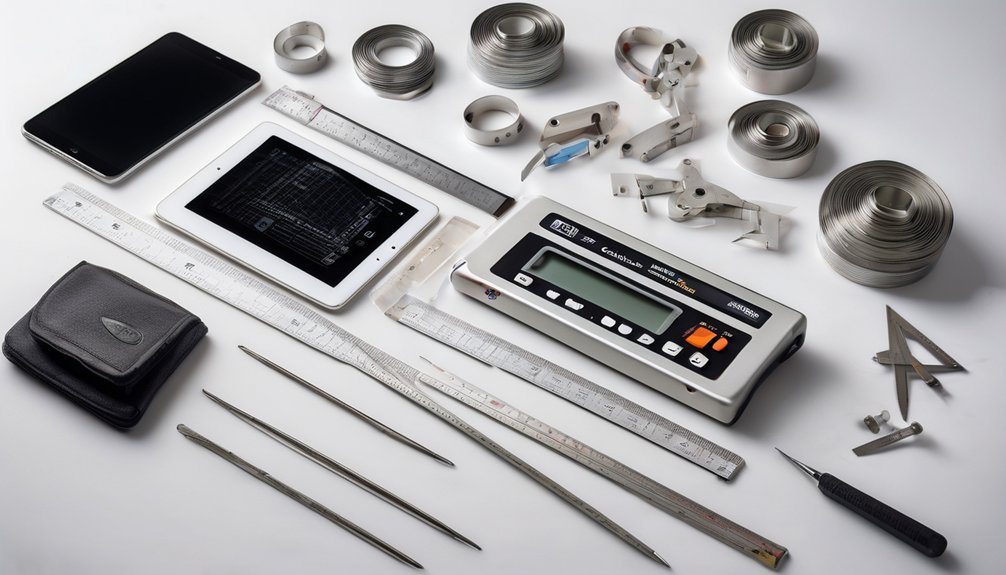
Length converters usually support a wide range of metric, imperial, and scientific units, letting you work with everything from nanometers and millimeters to meters, kilometers, inches, feet, yards, and miles.
You can select a unit by its unit symbols, such as nm, mm, cm, m, km, in, ft, yd, and mi, to keep inputs fast and precise. Most tools also recognize common abbreviations and apply measurement standards, so your results stay consistent across systems.
When you join a converter, you’re using a shared language for length data, which reduces errors and improves interoperability. You can trust these symbols to map directly to standardized conversion factors, helping you compare values confidently without guessing at unit meaning.
Convert Inches, Feet, and Miles
When you convert inches, feet, and miles, enter the source value, choose the starting unit, and select the target unit so the converter can apply the correct factor.
You’ll get precise results because the tool handles each unit in the same straightforward workflow, so you can feel confident in your group.
For inches examples, use short dimensions such as screen widths or trim lengths. For feet applications, measure room spans, lumber, and step counts. For miles usage, convert road distances, route totals, and travel estimates.
The converter also reflects conversion history through standard relationships: 12 inches equal 1 foot, and 5,280 feet equal 1 mile.
You don’t need manual math; just input values, switch units, and review the output with clarity.
Convert Meters, Centimeters, and Kilometers
Meters, centimeters, and kilometers use the same converter workflow as the imperial units: enter your value, pick the source unit, then select the target unit to get an accurate result. You keep length measurements consistent by using metric factors of 10, 100, and 1,000. That helps your team stay aligned and supports conversion accuracy.
| Unit | Relation |
|---|---|
| meter | base unit |
| centimeter | 1/100 meter |
| kilometer | 1,000 meters |
When you convert, verify the decimal place and unit label. If you enter 2.5 kilometers, you can read 2,500 meters or 250,000 centimeters without ambiguity. You’ll move through metric tasks faster, and you’ll trust the output because the logic stays simple and exact.
When a Length Converter Saves Time
Even a small length conversion can save minutes when you’re working across plans, specs, or inventory lists, because a converter removes manual calculation and reduces entry errors.
You gain time efficiency when you switch between millimeters, inches, feet, and meters without stopping to recalculate. In shared workflows, you keep your team aligned by using the same converted value in drawings, quotes, and procurement records.
That consistency supports measurement accuracy and cuts rework caused by mismatched units. When you’re comparing supplier data, estimating material needs, or checking dimensions on site, a converter helps you respond faster and with confidence.
You stay focused on the task, not the math, and your workflow feels smoother because everyone uses the same precise numbers.
How to Pick a Good Length Converter Tool
How do you choose a length converter that fits your workflow? You should check unit coverage, conversion accuracy, and interface speed first. A reliable tool lets you switch between metric and imperial units without friction, so you stay focused and feel in control.
Look for clear input fields, instant results, and copy-ready outputs that support your daily tasks. Compare user reviews to see whether people trust the calculations and the experience.
Follow best practices by verifying edge cases, rounding behavior, and mobile compatibility before you commit. If you work with teams, pick a converter that matches shared standards and keeps everyone aligned.
The right tool won’t just convert numbers; it’ll help your group work confidently, consistently, and efficiently.
Conclusion
In a length converter, you turn one measurement into another in seconds, not minutes. You choose a unit, enter a value, and the tool applies exact conversion factors with consistent precision. Whether you’re switching between inches and feet or meters and kilometers, it keeps your specs clear and your workflow fast. The real question isn’t whether you need one—it’s how long you can afford to work without it.