Tip Calculator
When you use a tip calculator, you can turn a guess into a quick, clear number that fits the bill and the service you got. You enter the total, pick a tip percentage, and see what each person should pay if you’re splitting the check. It sounds simple, but a few small choices can change the result more than you might expect.
Key Takeaways
- Enter the pre-tip bill amount and select a tip percentage to calculate the tip and total instantly.
- Use common tipping rates like 10% for poor service, 15% for good, 18% for great, and 20%+ for excellent service.
- Check the bill amount carefully before entering it to avoid mistakes and inaccurate totals.
- Split the full bill evenly among diners, or adjust shares if people ordered different amounts.
- Review the tip choice for service quality, cultural norms, and any discounts before finalizing payment.
How to Use a Tip Calculator

To use a tip calculator, you first enter the total bill amount before tip, then choose the tip percentage you want to leave. You’ll see the suggested tip and the full total right away, so you can decide fast and feel confident.
If you’re dining with friends, this helps everyone stay on the same page. You can use it to follow tipping etiquette without overthinking the math.
Check the result, then compare it with your budget and the service you got. If the amount feels awkward, use rounding tips to pick a cleaner number. That can make splitting the bill easier, too.
A tip calculator keeps things simple, fair, and friendly, so you can focus on the meal and the people around you.
Enter the Bill Amount and Tip Percentage
Start by typing the bill amount before tip into the calculator, then select the tip percentage you want to leave.
Make sure you enter the bill amount exactly as it appears on your check, including any shared charges you owe.
If the app asks for a tip percentage, choose the number that matches your plan, and the calculator will handle the math for you.
You don’t need to guess or do extra steps; you’re simply setting up the numbers so the result feels easy and fair.
When you enter both values carefully, you’ll get a clear total and know your share right away.
That confidence helps you fit in at the table and split the bill smoothly with everyone around you.
Choose the Right Tip Percentage
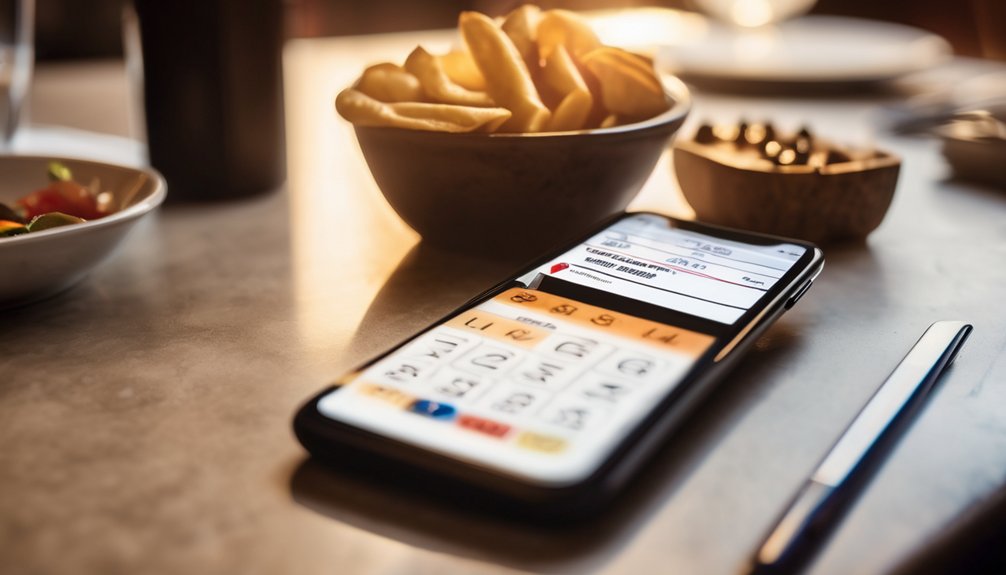
Which tip percentage should you choose? You can match your tip to service quality and the setting you’re in. A quick rule helps you feel confident and included at the table.
| Service quality | Tip choice |
|---|---|
| Poor | 10% |
| Good | 15% |
| Great | 18% |
| Excellent | 20%+ |
If the server was attentive, lean higher. If the meal felt average, stay near the middle. Cultural differences also matter, so check local customs when you travel. In some places, tipping feels expected; in others, it can seem unusual. Use your tip calculator to pick a fair amount fast, without second-guessing yourself. You’re not guessing alone—you’re choosing with the group, the moment, and respect in mind.
Split the Bill Fairly
When you’re splitting the bill, divide the total evenly first, then add each person’s share of the tip based on that amount. This keeps fair sharing simple and helps everyone feel included. You can round to the nearest cent or dollar, as long as the group agrees before paying.
If someone ordered less, adjust that person’s share without creating awkwardness. Clear group dynamics matter, so speak up early and keep the math transparent. You don’t need a long debate; just use the same tip rate for everyone and settle small differences kindly.
When you handle the split this way, you protect the spirit of the meal and make sure no one feels shortchanged at the table.
Use a Tip Calculator for Groups

A tip calculator for groups takes the guesswork out of splitting a shared meal. When you’re out with friends, family, or coworkers, you can use it to keep group dining smooth and inclusive.
Enter the bill, choose a tip, and let the calculator show each person’s share. That way, everyone contributes to fair tipping without awkward math at the table.
- Add the total bill.
- Select the tip percentage.
- Divide the amount by the group size.
You’ll save time, avoid confusion, and make sure no one feels shortchanged. A quick calculation helps your group stay relaxed, connected, and focused on enjoying the meal together.
Avoid Common Tip Calculator Mistakes
Even a simple tip calculator can lead you astray if you rush through the inputs. You’ll avoid mistakes by checking the bill total, tax, and number of diners before you calculate. Don’t tip on discounts unless your local tip etiquette says otherwise, and think about service quality when you choose the percentage. If the service was excellent, rounding up shows appreciation; if it was poor, stay fair and calm.
| Mistake | Better move |
|---|---|
| Entering the pre-tax amount | Confirm what the calculator uses |
| Forgetting split guests | Count everyone at the table |
| Ignoring service quality | Adjust the tip thoughtfully |
| Tipping on coupons | Follow local tip etiquette |
A quick review keeps your math clean and helps your group feel included.
Conclusion
When you use a tip calculator, you’re like a fair-minded captain steering a dinner ship through calm or choppy waters. You enter the bill, choose the right tip, and split the cost without drifting into confusion. The calculator keeps your crew aligned, whether you’re dining solo or with a group. So don’t guess, and don’t overpay. Let the tool guide you, and you’ll always land at the right harbor with confidence.