Landscaping Calculator
A landscaping calculator does more than estimate material totals; it can expose hidden mismatches between area, depth, and coverage rates that often skew project budgets. You can enter yard dimensions, choose mulch, sod, gravel, or soil, and compare outputs before you commit. Small input errors can change results fast, so the next step matters if you want your plan to stay accurate.
Key Takeaways
- A landscaping calculator estimates material needs and costs for mulch, sod, gravel, or soil.
- Enter length, width, depth, and total area to get accurate landscaping estimates.
- Choose the correct material type, units, and coverage rate before calculating.
- Add a waste buffer for settling, uneven grades, and project variations.
- Verify measurements and avoid mixing linear and area units to prevent costly errors.
What Is a Landscaping Calculator?
It helps you compare landscaping benefits across design options, whether you’re improving curb appeal, drainage, or outdoor usability. By consolidating inputs like area, material type, and coverage rate, the calculator gives you a reliable baseline for budgeting and scope control.
You’ll feel more confident when your numbers align with your goals, and you’ll work alongside others with a clearer shared understanding of what the project requires and why it matters.
How to Use a Landscaping Calculator
Start by entering your project’s key measurements, such as length, width, depth, and total area, into the calculator so it can determine the quantity of materials required.
Then select your material type, confirm the units, and review the output for accuracy. You’ll get consistent results that support confident planning and smoother garden design decisions.
- Choose the correct material category.
- Verify units before calculating.
- Compare estimates against your budget.
- Save results for future landscaping tips.
Use the calculator to adjust mulch, soil, gravel, or pavers without guesswork. You’ll stay aligned with your team’s goals, reduce waste, and keep your landscaping tips practical.
For any garden design, the calculator helps you make precise, shared decisions that fit your site and your style.
How to Measure Yard Length, Width, and Depth
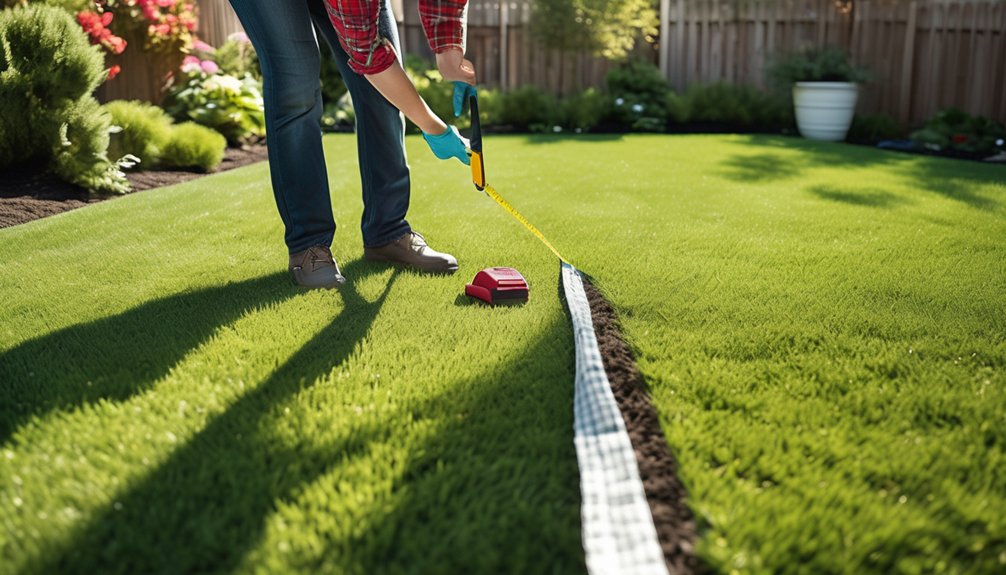
To get accurate calculator results, you’ll need to measure your yard’s length, width, and depth with care. Use reliable measuring tools, such as a tape measure, survey wheel, or laser device, and record each value in feet or meters.
Measure length along the longest side, then width at the widest point, keeping the line straight and level. For depth, check the vertical distance from the existing surface to the target grade or reference point.
If your yard has irregular sections, divide it into simple shapes and note each set of yard dimensions separately. Work with a partner when possible so one of you can hold the tool and the other can log results.
Careful measurements help you stay confident, organized, and aligned with the same exact plan.
How Much Mulch, Sod, Gravel, or Soil Do You Need?
Once you’ve measured the length, width, and depth of your space, you can calculate the material volume needed for mulch, sod, gravel, or soil. You’ll choose the product that fits your site goals and the performance you expect.
- Mulch benefits include moisture retention, weed suppression, and temperature control.
- Gravel types vary by drainage, stability, and finish, so select the grade that matches traffic and appearance.
- Sod maintenance depends on immediate watering, soil contact, and steady care after installation.
- Soil quality affects root growth, drainage, and nutrient availability, so verify texture before delivery.
When you order, add a small buffer for settling and uneven grades. That way, you’ll avoid shortages and stay aligned with your landscaping team.
How to Calculate Area and Coverage
Before you order materials, you need to calculate the area you’re covering so you can match product quantities to the actual site dimensions. Measure length and width in the same unit, then apply area formulas, such as length × width for rectangles or base × height ÷ 2 for triangles.
For curved beds, split the shape into smaller sections, calculate each part, and add the totals. If your project includes multiple zones, compute each one separately so you can estimate landscaping materials with greater accuracy.
Convert square feet to square yards or square meters only after you’ve finished measuring. Then compare the calculated area with product coverage rates on the label. That way, you’ll plan confidently, stay aligned with your crew, and avoid underordering or surplus.
Common Landscaping Calculator Mistakes
Even with accurate area measurements, landscaping estimates can still go off track if you enter the wrong units, mix linear and area measurements, or use the wrong coverage rate for the material. You can avoid costly errors by checking each input before you calculate.
Your team benefits when you verify:
- Units match the calculator settings.
- Length, width, and depth use consistent dimensions.
- Coverage rates reflect actual material selection.
- Waste factors support realistic budget planning.
If you skip these checks, you may overorder mulch, underbuy gravel, or misprice soil.
You’ll stay aligned with your project goals when you confirm product density, compaction, and package size. Precise inputs help you plan confidently, reduce waste, and build alongside others with shared expectations.
Conclusion
You can use a landscaping calculator to turn rough plans into exact material estimates, saving time, money, and costly guesswork. When you measure length, width, and depth carefully, you’ll calculate area and coverage with confidence. Just double-check units, product coverage rates, and depth settings to avoid errors. With accurate inputs, you’ll choose the right mulch, sod, gravel, or soil every time—almost like having a magic wand for project planning.