Online Tools That Help Students Stay Organized
If you’re juggling classes, deadlines, and group work, the right online tools can keep everything in one place. You can track assignments, set reminders, organize notes, and map out study time without relying on memory alone. Some tools even sync across devices and support collaboration, which can save you from last-minute stress. The real challenge is choosing the ones that fit the way you work best.
Key Takeaways
- Student organizer tools track assignments, deadlines, exams, and daily tasks in one place.
- Online calendars give students a visual schedule with reminders, syncing, and color-coded classes.
- Note-taking apps help organize class notes by subject, tag topics, and search information quickly.
- Task managers turn homework and projects into prioritized step-by-step plans with due dates.
- Study planners support time blocking, scheduling study sessions, and checking off completed work.
What Should a Student Organizer Do?
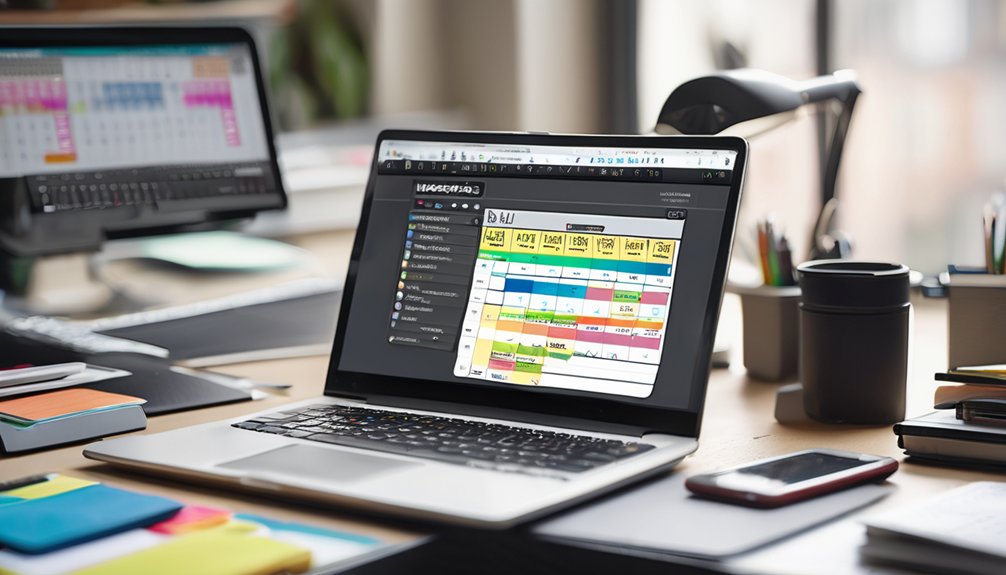
A student organizer helps you keep track of assignments, deadlines, exams, and daily tasks in one place. You can use it to plan your week, break big projects into smaller steps, and stay on top of what’s due next.
It should support goal setting by helping you define what you want to finish and when. It should also make time blocking easy, so you can reserve focused study periods without overloading yourself.
Good organizers let you add notes, reminders, and priorities, so you can decide what needs attention first. When everything’s clear, you feel more in control and less alone.
You’re not just managing schoolwork—you’re building a system that helps you stay connected to your goals and your routine every day.
Best Online Calendars for Student Deadlines
When deadlines start piling up, an online calendar can help you see everything at a glance and stay ahead of your workload. You can map exams, papers, club meetings, and shifts in one place, so nothing slips through the cracks.
Choose a calendar that supports calendar syncing across your phone, laptop, and tablet, because you’ll check it in different places all week. Strong event reminders keep you on track with alerts before due dates, giving you time to adjust if plans change.
Color-coding classes and deadlines also makes your week easier to scan. When your calendar feels organized, you’ll feel more connected to your routine and more confident keeping pace with classmates.
Note-Taking Apps for Class Notes

Once your deadlines are mapped out, a good note-taking app helps you capture what happens in class and turn it into something you can actually study from later. You can type faster, organize by subject, and keep everything in one place with digital notebooks.
| Feature | Why it helps |
|---|---|
| Tags | Find topics fast |
| Audio sync | Review missed details |
| Search | Locate key terms |
| collaborative features | Share notes with classmates |
Choose an app that feels easy to use, so you’ll keep coming back to it. If your class group shares notes, collaborative features can help everyone stay on the same page. Color-coding, checklists, and handwritten input can also make your notes clearer. With the right tool, you’ll feel more prepared, more connected, and less alone when exam week arrives.
Task Managers for Homework and Projects
Task managers help you turn homework and project deadlines into a clear plan you can follow. You can list every assignment, set due dates, and break big work into smaller steps so nothing slips through.
Use task prioritization strategies to rank urgent items first, then tackle easier tasks when you need momentum. Many apps let you label classes, add reminders, and attach files, so you stay connected to what each teacher wants.
Strong project tracking techniques help you see progress at a glance and adjust before stress builds. When you keep everything in one place, you feel more in control and less alone, because your work feels organized, shared, and manageable.
Study Planner Tools for Better Time Management

Study planner tools help you map out what to study, when to study it, and how long each session should take. You can turn a busy week into a simple plan that feels manageable.
These digital study aids let you block time for classes, reading, practice, and review, so you’re not guessing what comes next. With time blocking, you give each subject a clear place in your day and protect focus from distractions.
These digital study aids let you block time, stay focused, and know what comes next.
You can check off finished tasks, adjust when plans change, and see progress at a glance. That steady structure helps you stay calm, prepared, and part of a student routine that works.
When your schedule feels organized, you can join in confidently and keep moving forward together.
File Sharing and Collaboration Tools
When you need to work with classmates, file sharing and collaboration tools make it easy to send documents, edit together, and keep everyone on the same page. With cloud storage, you can open files anywhere and avoid lost attachments. For group projects, that means less confusion and more trust.
| Tool Need | What You Feel |
|---|---|
| Shared folders | Included |
| Live comments | Heard |
| Version history | Safe |
| Easy links | Connected |
You can assign roles, track changes, and finish faster without endless message threads. When everyone can see the same file, your team feels more united and ready to support each other. These tools help you stay organized while building a stronger sense of teamwork.
Apps That Build Daily Study Habits
Daily study habit apps help you stay consistent by turning small goals into daily routines. You can use them to set a study time, log your progress, and see your streaks grow.
That habit tracking gives you a simple way to notice what’s working and what needs more attention. When your day gets busy, motivational reminders nudge you back on track without making you feel behind.
You’ll also feel less alone because many apps let you join study groups, share wins, and cheer each other on. Small check-ins can build real momentum, and that steady progress makes school feel more manageable.
With the right app, you don’t just plan to study—you show up, day after day, with others doing the same.
How to Pick the Best Student Tools
Once you’ve built steady study habits, the next step is choosing tools that actually fit the way you work. Start with your biggest challenge: deadlines, notes, or focus. Then match each need to one simple app, not five. Use digital productivity tips to compare features, price, and ease of use before you commit. Pick tools that support effective goal setting by letting you break assignments into small, visible steps. If a tool feels cluttered, skip it. You’ll stay more confident when your system feels familiar and easy to repeat.
| Need | Best Tool Type | Why It Helps |
|---|---|---|
| Planning | Calendar app | Keeps due dates visible |
| Focus | Timer app | Protects attention blocks |
| Tracking | Task list | Shows progress clearly |
Choose tools that make you feel supported, not stressed.
Frequently Asked Questions
How Do I Protect My Study Data From Being Lost?
Back up your study files regularly using data backup and cloud storage, so you can recover them anytime. Save copies on a drive, sync often, and you’ll feel secure knowing your work stays safe.
Which Tools Work Best Offline During Travel?
About 68% of travelers prefer apps with offline functionality. You’ll do best with travel friendly apps like Notion, Google Docs offline, and TripIt; they keep your notes, itineraries, and tasks handy when you’re disconnected.
Can These Apps Sync Across Multiple Devices?
Yes, you can usually sync them across multiple devices through cloud synchronization, if the app supports device compatibility. You’ll stay connected, keep your notes updated, and feel confident everything’s in one place.
How Much Storage Do Student Organizer Apps Require?
You’ll usually need just 50–200 MB; most data lives in cloud storage, not on your device. In 2024, 78% of students used digital planners. That keeps app efficiency high and your phone uncluttered.
Do These Tools Offer Accessibility Features for Disabilities?
Yes, you’ll often find accessibility options like screen reader support, keyboard navigation, and adjustable text. A clear user interface helps you stay included and confident, so you can manage school tasks with less frustration.
Conclusion
You can keep chaos and control side by side with the right student tools. One app can pin down deadlines, while another frees your mind with clear notes and reminders. Instead of scattered tabs and missed tasks, you get a steady rhythm of planning, studying, and finishing. When your calendar, tasks, and files work together, your workload feels lighter and your goals feel closer. Choose tools that fit your habits, and you’ll stay organized.